Advertisement

Learn how ASR enhances customer service for CX vendors, improving efficiency, personalization, and overall customer experience

Learn how to build a GPT Tokenizer from scratch using Byte Pair Encoding. This guide covers each step, helping you understand how GPT processes language and prepares text for AI models

How to convert string to a list in Python using practical methods. Explore Python string to list methods that work for words, characters, numbers, and structured data

Collaborative robots, factory in a box, custom manufacturing, and digital twin technology are the areas where AI is being used

Know how 5G and AI are revolutionizing industries, making smarter cities, and unlocking new possibilities for a connected future

Explore the core technology behind ChatGPT and similar LLMs, including training methods and how they generate text.
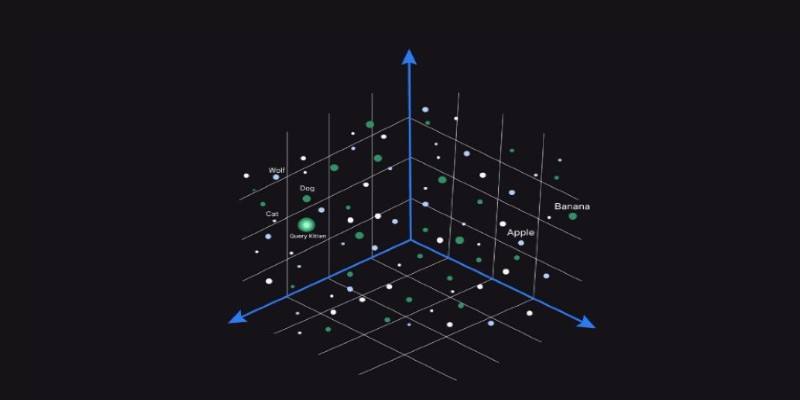
Wondering how AI finds meaning in messy data? Learn how vector databases power similarity search, make tools smarter, and support real-time AI features

In this article, we talk about the types of neural networks. CNN vs RNN vs ANN, and how are they all different.

How Oppo’s Air Glass 3 XR brings AI-powered VR glasses to everyday life with smart features, sleek design, and seamless usability in real-world settings

Learn how to build Custom GPTs using this step-by-step guide—perfect for developers, businesses, and AI enthusiasts alike.
Looking for AI tools to make learning easier? Discover the top 12 free AI apps for education in 2025 that help students and teachers stay organized and improve their study routines
Explore 6 practical techniques for displaying lists in Python using tools like the print function, for loop, and f-string formatting. This guide helps you show list data cleanly and clearly for real-world use
Ever wondered how a language model like GPT breaks down sentences and processes words? Before the model even begins to think about meaning, it chops everything into smaller pieces called tokens. This might seem simple, but it's one of the most important steps in making large language models work. Building a GPT tokenizer helps you understand the very first layer of how text becomes data.
It also gives you more control if you're working on a custom model or want to fine-tune GPT for specific use cases. This article will show you how to build a GPT tokenizer from scratch, explaining why it works the way it does and how to replicate that behavior with real code.
Tokenization is the text division into units. Units are characters, words, or subwords. GPT models don't read raw text in the same way we do. They read numbers — each token has a special number in a vocabulary. So, the tokenizer has two tasks to perform. First, divide the text properly. Second, assign the proper ID to each token.
GPT models do not employ word-based tokenizers because words are too variable. What they employ is called Byte Pair Encoding (BPE). BPE begins from simple characters, then examines the most frequent combinations and combines them. Gradually, the system develops a vocabulary comprising common subwords and even full words.
Here’s a quick example. Say your text is: “hellohello”. A basic tokenizer might split it like this: [“h”, “e”, “l”, “l”, “o”, “h”, “e”, “l”, “l”, “o”]. However, a BPE-based tokenizer would notice that “hello” appears twice, so it might treat it as: [“hello”, “hello”]. This makes things faster and more efficient, especially with large data.
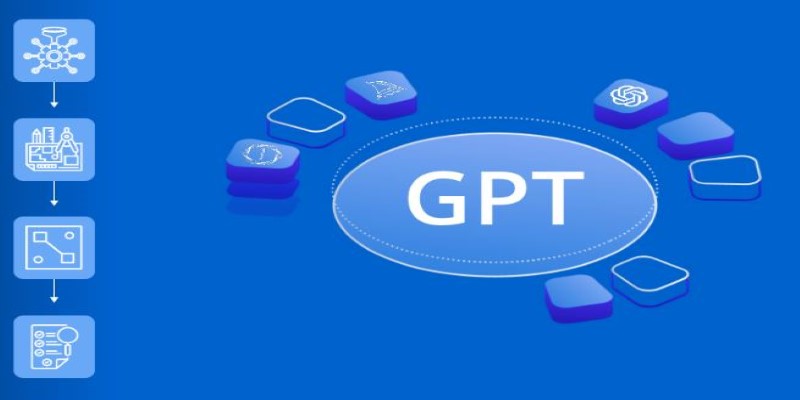
To build a GPT tokenizer, you need to write or reuse logic that can:
You can do this in Python using basic tools. Here's how that might look in simplified code:
First, start with your text. This can be anything from Wikipedia dumps to Reddit comments, but keep it plain text. You’ll clean it, normalize it, and convert it into bytes.
Then you initialize your vocabulary. GPT-2 and later models use a base vocabulary of 256 bytes (for all possible byte values). This gives them a consistent starting point.
Now, loop through the text and count how often each byte pair appears. Suppose "l" and "o" appear together often. You merge them into a new token: "lo". You replace all appearances of "l o" with "lo" and update your token list.
This loop continues until your vocabulary reaches the desired size, usually 50,000 or more tokens. Each time you merge, you reduce the total number of steps the model will need to process text.
When you’re done, you’ll have:
This is your tokenizer.
You now need to write two functions:
Encoding requires walking through the input string and matching substrings from the vocabulary, starting with the longest match. This is usually implemented using a trie or greedy matching.
Decoding is simpler. Just reverse-map each token ID to the subword it represents and join them.
After building your tokenizer, test it. Use a few different kinds of text: simple sentences, emojis and symbols, technical or medical words, and made-up words. This ensures broad compatibility across content types and domains.
Check if encoding and decoding work correctly. Does “Hello there!” encode and decode to the same thing? Does it break on “dysfunctionality”? If yes, refine your merge steps or add special rules.
Now, you can use your tokenizer to train your GPT-style model. You'll need to feed it token IDs, not raw text. If you want to fine-tune an existing GPT model, make sure your tokenizer matches the original one used in training. If it doesn't, the model won't understand what your tokens mean.
You can save your tokenizer as a JSON file mapping tokens to IDs, a Python dictionary, or a binary file for fast loading and efficient reuse across multiple pipelines.
Libraries like Hugging Face's tokenizers and OpenAI's tiktoken already do this well, but building your own from scratch gives you much deeper insight and greater flexibility overall. You can fully customize token behavior, define special tokens like
For example, in legal or medical datasets, many technical words aren't common in casual or general-purpose text. Your custom tokenizer could quickly learn these specialized patterns faster by assigning it domain-specific tokens during training, significantly improving model accuracy on complex specialized tasks.
Building a GPT tokenizer teaches you more than just splitting text. It reveals how models understand input, why they behave a certain way, and how tiny decisions in preprocessing affect everything downstream. You control how the model reads. Whether you use Python and build BPE from scratch or tweak an existing one, you’re shaping the way text turns into intelligence. GPT doesn’t “see” our words like we do. It sees a series of numbers, crafted by the tokenizer you built. When you understand this step deeply, you’re better prepared to train, fine-tune, or modify language models for real-world applications. Whether you're building a chatbot, a text generator, or a translation tool, the tokenizer is where the process truly begins.
